What Instant Download Tickets Are and How to Use Them


Instant download tickets are PDF e-tickets that become available to download shortly after purchase, often within minutes up to about an hour. That’s the whole concept. There’s no waiting for the mail, no coordinating a mobile transfer with a stranger. The file shows up in your account, and it’s yours to save.
Once you buy, here’s what to do:
Check your order confirmation email or account dashboard.
Look for a “Get tickets” or “Download” button.
Save the PDF to your phone and back it up somewhere else, too (email, cloud drive).
Print a copy if you’re not 100% sure the venue scans phone screens.
Key Takeaways
Instant download tickets are PDFs that become available shortly after purchase, and understanding delivery timing and barcode format prevents nearly every entry-day problem.
Point | Details |
Definition | Instant download tickets are PDFs ready within minutes to an hour, no waiting for mail or transfer. |
Check the “ready on” date | Listings without instant access show a date when the file becomes downloadable. |
Know your format | Mobile transfer uses rotating barcodes that can’t be printed; instant download and electronic tickets can. |
Always back up your file | Save the PDF to your phone, email it to yourself, and print a copy if unsure about venue scanning. |
Use The Ticket Blog for pricing | Check The Ticket Blog’s guides and promo codes before buying to combine fast delivery with a better price. |
Table of Contents
How Instant Download Tickets Work: The Delivery Process
Two things happen behind the scenes when you buy a ticket online, and knowing the difference clears up most of the confusion around timing.
The marketplace already holds the file. Some tickets sit on the platform’s servers before you even buy them. When that’s the case, your PDF unlocks almost immediately, because there’s nothing to wait for.
The seller has to send the file first. Other times, the marketplace has to collect the ticket from the original seller before it can pass it to you. That’s when you’ll see a “ready on” or “ready to download and print by” date attached to the listing.
StubHub’s support documentation confirms this distinction directly: both instant download and standard electronic tickets are PDFs, but instant downloads are typically ready within minutes, while electronic tickets carry a stated availability window. That “ready on” language isn’t fine print you can skip. It’s the marketplace telling you exactly when to check back.
Instant Download vs. Electronic and Mobile Transfer Tickets
Not every digital ticket behaves the same way, and mixing them up is where most entry-day headaches start.
Electronic (print-at-home) delivery is also a PDF, but it often comes with a delayed “ready on” date rather than immediate access.
Mobile transfer tickets live inside an app and use rotating barcodes that refresh every few seconds, which means they can’t be downloaded, screenshotted, or printed at all.
Instant download PDFs can be saved, emailed to yourself, and printed, since the barcode is static rather than rotating.
Venues that use mobile transfer almost always require the ticket to be pulled up live in the app at the gate, not shown as a saved image.
TicketSales’ help center breaks these three formats down clearly, and it’s worth a quick read if you’re not sure which one you bought. Knowing your format before event day saves you from discovering the hard way that your “screenshot” won’t scan. For a broader rundown of formats, The Ticket Blog’s guide to what e-ticket means covers the terminology in more depth.
How to Download, Save, and Print Your Tickets
Getting your tickets ready takes about two minutes if you follow the same path every time.
Log into your account on the marketplace where you bought the tickets.
Go to “My Orders” or “My Tickets.”
Click “Get Tickets” or “Download” next to the relevant order.
Save the PDF directly to your phone’s photo or file storage.
Email yourself a backup copy, or upload it to a cloud drive like Google Drive or iCloud.
Print a hard copy if the venue’s policy is unclear or if you’d rather not rely on your phone battery.
StubHub’s access and download guidance confirms you can reprint from the Orders page at any time before the event, so a lost printout or a phone that dies isn’t a crisis. Just log back in and pull the file again.
Pro Tip: Download your tickets the same day you buy them, not the night before the show. Venue Wi-Fi gets crowded fast, and you don’t want your barcode stuck loading in a slow-moving entry line.
Will the Barcode Actually Scan at the Gate?
Yes, as long as you’re using the right format and haven’t let someone else scan it first. The barcode or QR code on your PDF is the actual admission token, and most venues use first-scan enforcement, meaning whichever copy gets scanned first is the one that gets in.
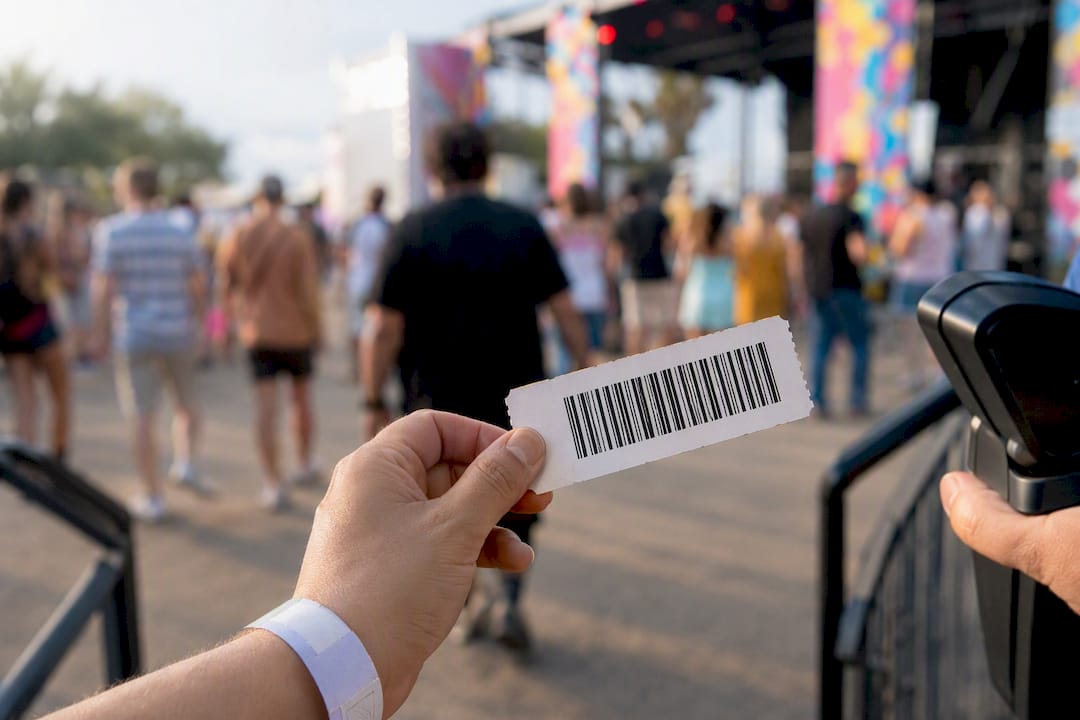
That’s exactly why screenshots sometimes fail. If your ticket uses a rotating barcode (common with mobile transfer), a screenshot captures a barcode that’s already expired by the time you reach the gate. A static PDF barcode doesn’t have that problem, which is one reason Vivid Seats recommends printing instant download and email-delivery tickets ahead of time as a backup.
Before you buy, look for:
Buyer guarantee language on the listing page.
Clear seller ratings or verification badges.
A stated refund policy if the event is canceled.
Marketplaces that back every sale with a guarantee are generally the safer bet over unverified peer-to-peer listings.
Why Some Tickets Aren’t Available Instantly
Instant download isn’t always possible, and that’s not a red flag. It usually comes down to logistics on the seller’s end.
The original ticket holder hasn’t uploaded or transferred the file to the marketplace yet.
The box office or promoter hasn’t released tickets to sellers, which is common for high-demand shows announced far in advance.
The seller’s listing requires a manual transfer step rather than an automatic upload.
When any of these apply, the listing will show a “ready on” date instead of immediate access. Check that date on your order confirmation, and mark your calendar to log back in once it passes.
Event-Day Checklist for a Smooth Entry
A little prep goes a long way here.
Confirm your ticket format (instant download, electronic, or mobile transfer) days before the event.
Save your PDF to your phone and one cloud backup.
Print a physical copy if you’re at all unsure whether the venue scans phone screens.
Arrive 15 to 20 minutes earlier than usual in case you need a box office reprint.
Pro Tip: Keep a printed copy in your car or bag even if you plan to use your phone. Dead batteries and cracked screens don’t care how good your plan was.
What The Ticket Blog Wants You to Know Before You Buy
Timing matters more than most buyers realize. Sellers often drop prices on unsold inventory as an event approaches, and instant download listings tend to be the ones that move fastest in flash sales since there’s no delivery lag to worry about.
Watch for promo codes that appear closer to the event date.
A clear, high-contrast barcode print beats a dim phone screen every time.
If your file won’t reprint, contact the marketplace’s support team directly instead of waiting.
For more on how pricing shifts as event dates approach, check out The Ticket Blog’s guide to ticket discounts.
Why I Always Print a Backup, Even for Instant Downloads
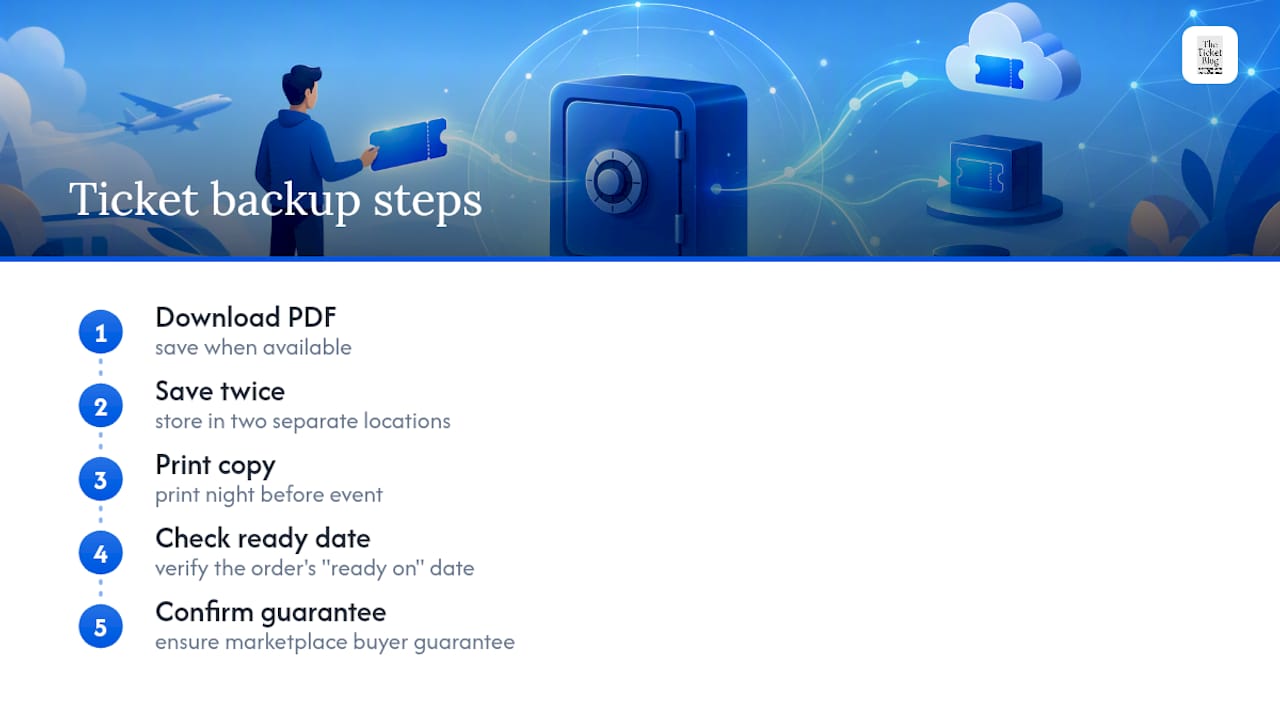
I’ve learned to treat every ticket like it might fail to load right when I need it most. My habit is simple: download the PDF the moment it’s available, save it in two places, and print a copy the night before. It takes five minutes and it’s saved me from a panicked scramble at a gate more than once.
Before you head out, always check the “ready on” date on your order and confirm the marketplace backs your purchase with a buyer guarantee. Those two habits catch nearly every problem before it becomes one.
— The Ticket Blog
Find Better Deals Before You Download
Getting your ticket delivered instantly is only half the win. Getting it at a fair price is the other half, and that’s where The Ticket Blog earns its keep. Instead of paying whatever a marketplace’s dynamic pricing shows you first, The Ticket Blog tracks promo codes, price drops, and seller patterns across concerts, sports, and theater so you’re not guessing when to buy.

The landing page at The Ticket Blog has curated deal roundups, current promo codes, and guides that go deeper than any support article on how to time your purchase for the best price. If you’re about to buy tickets to an upcoming show, check there first, since it takes just a minute and could save you real money before you ever hit “download.”
Sources
For step-by-step access instructions straight from the source, see StubHub’s ticket delivery guide and Vivid Seats’ printing guidance.
Recommended


Comments