U.S. Buyers: Decode SeatGeek Deal Score's 1–10 Rating to Save

The SeatGeek Deal Score is a 1 to 10 rating that tells you how a ticket’s price compares to its expected market value, with higher numbers meaning better value. Use it as your sorting tool, not your only filter: rank listings by Deal Score, cap your budget, then confirm the seat view before you buy. The sections below cover how the number is calculated, what a missing score means, and how to turn it into real savings.
TL;DR:
Scores in the 5 to 7 range suggest fair or slightly below-market prices, but demand and event context should influence your decision.
Blue dots signify missing or unreliable data, so manual comparison and seat view verification are essential before purchase.
Dynamic market conditions can cause Deal Scores to fluctuate quickly, making real-time checks and trend monitoring important.
Pair Deal Score with setting a maximum budget and viewing the seat to ensure true value and avoid overpaying for seats with obstructed views or less desirable locations.
Table of Contents
What Is SeatGeek Deal Score and How Does It Work?
SeatGeek built Deal Score to answer one question fast: is this listing priced fairly for what you’re actually getting? Learn more about the underlying algorithms in how live scores work to better understand the score mechanics. The system compares a ticket’s listed price against SeatGeek’s own estimate of that seat’s market value, based on where it sits, how the event has priced historically, and what comparable seats are going for right now. That comparison gets boiled down into a single number SeatGeek calls Deal Score, running on an absolute 1 to 10 scale.
On SeatGeek’s interactive seat map, that score shows up as a color-coded pin. Warmer colors and higher numbers cluster around listings SeatGeek considers strong value; cooler, lower numbers mark tickets priced above what the seat typically commands.
A few quirks matter when you’re reading the map:
Grouped seats (say, four tickets sold together) sometimes carry one score for the whole group rather than per seat.
Listings missing a seat number can still get scored, based on section and row data alone.
Some pins show no number at all, which is a separate signal covered further down.
What Counts as a Good Deal Score?
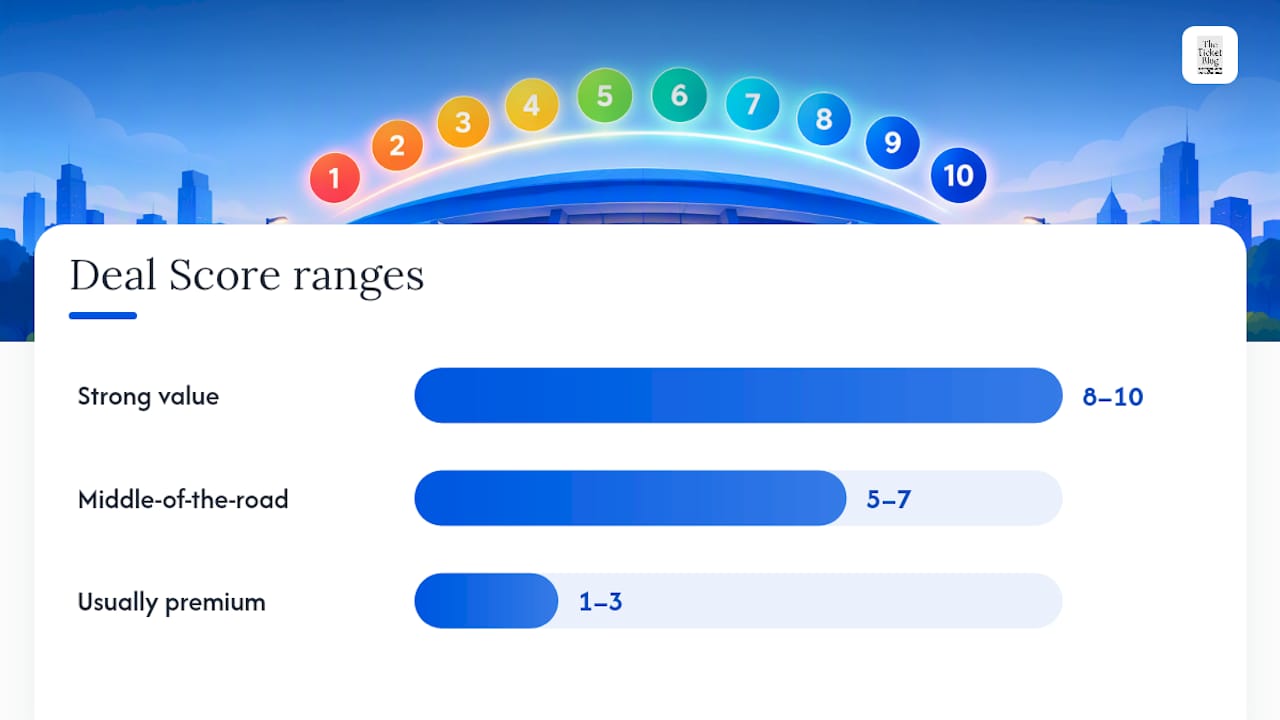
A Deal Score near the higher end of the scale generally signals a strong buy: the listed price sits well below SeatGeek’s estimated value for that seat. Scores in the 5 to 7 range are middle-of-the-road, priced roughly at or slightly under market. Anything below 4 usually means you’re paying a premium, whether for prime real estate, last-minute availability, or a seller pricing aggressively.
Context changes what “good” looks like, though. A Deal Score of 6 on a sold-out stadium tour might represent real savings, while the same score on a lightly attended midweek show could still mean you’re overpaying compared to face value. Demand shifts the baseline, so treat the number as relative to the event, not a universal price tag.
A simple shopping rule works well here:
Set your maximum budget first, before you start comparing scores.
Sort listings within that budget by Deal Score, highest first.
When two seats cost about the same, take the one with the higher score.
Don’t chase a high score into a section you don’t actually want.
How SeatGeek Calculates Deal Score
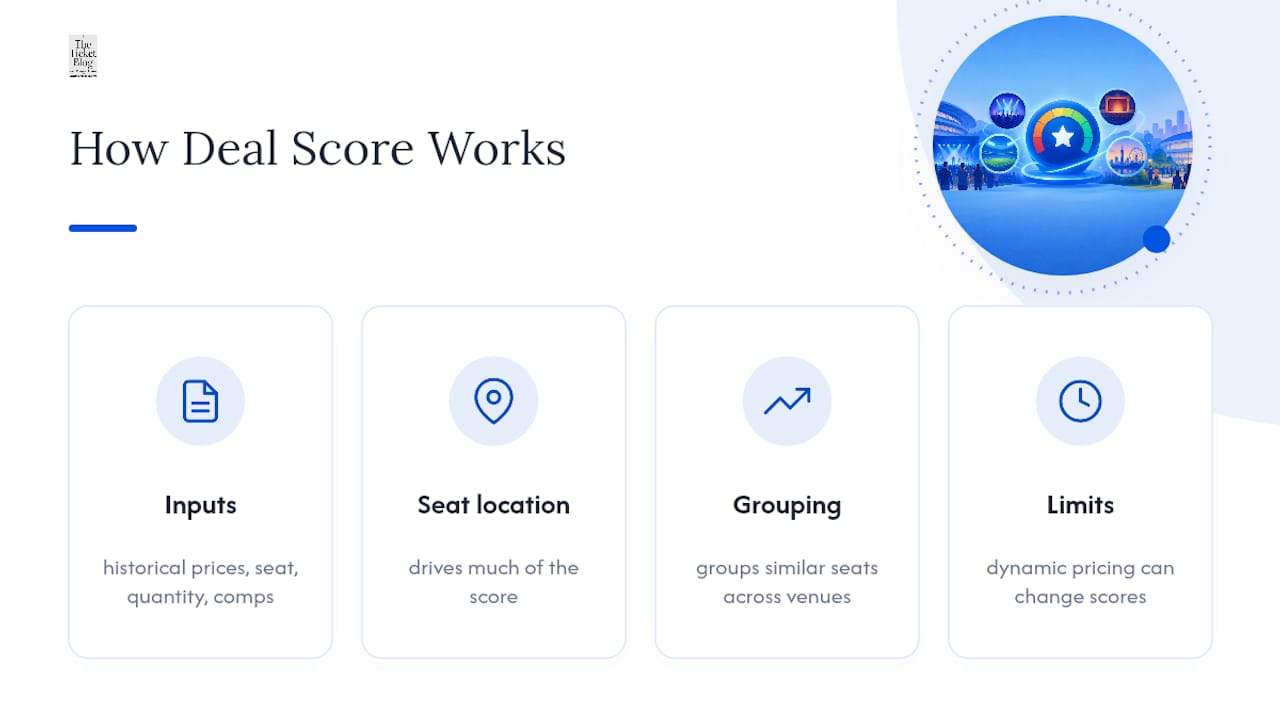
SeatGeek doesn’t publish its exact formula, and that’s typical for pricing algorithms across the resale industry. What the company does disclose is the list of inputs feeding the model. According to SeatGeek’s own Deal Score page, the primary factors include historical ticket prices for that event or comparable events, seat location and expected sightline, the quantity of tickets in a listing, seat type, and how that listing stacks up against other available tickets for the same show.
Seat location does a lot of heavy lifting. SeatGeek’s technical team has written about using seat rank and seat grouping to estimate relative seat quality across different venues, a method detailed on ChairNerd, SeatGeek’s engineering blog. Grouping similar seats together lets the algorithm make reasonable price estimates even for events with thin sales data, like a first-time tour stop with no ticket-price history to draw on.
Seat-grouping and seat-rank math let marketplaces generalize price estimates across venues, enabling reasonable predictions even with sparse sales data for an event.
That flexibility comes with a catch. Dynamic pricing means face-value tickets can shift by the hour on some platforms, and resale prices follow suit. A 2025 academic analysis of concert pricing found that price discrimination tied to artist popularity is increasing, which widens the spread between what different buyers pay for similar seats. When the underlying market is that volatile, a score calculated an hour ago may not reflect the listing you’re looking at now.
Deal Score also uses an absolute scale, meaning a 9 for a stadium tour and a 9 for a small theater show represent the same relative value gap, not the same dollar savings. It’s a useful signal, not a guarantee. Research from Princeton frames marketplace scores like this one as decision aids within a broader pricing system, not objective statements of a fair price.
What Does the Blue Dot Mean on SeatGeek?
Some listings show a blue dot instead of a number, and that trips up a lot of first-time buyers. It doesn’t mean the deal is bad. It means SeatGeek couldn’t generate a reliable score for that listing, usually because of missing or nonstandard seller data, an unusual seating configuration, or an event with too little pricing history to compare against.
According to SeatGeek’s guidance on tracking price drops, a blue pin is a data gap, not a warning label. Treat it as a cue to do a little more homework yourself:
Compare the listed price against other seats in the same section that do have a score.
Check the interactive seat map or a seat-view photo to confirm what you’re actually buying.
Read the listing details closely for restrictions, obstructed views, or unusual delivery terms.
Search the venue’s typical pricing for that section if you’ve bought there before.
Pro Tip: A blue-dot listing that’s priced below every scored seat nearby is often worth a closer look. Missing data isn’t the same as a missing deal.
How to Use Deal Score to Actually Save Money
Deal Score works best as one step in a short, repeatable process rather than a single click-and-buy signal. Here’s the sequence that tends to produce the best outcomes:
Set a price cap before you browse. Decide your ceiling based on face value or comparable events, so a flashy score doesn’t tempt you into overspending.
Sort by Deal Score within your budget. This surfaces the best relative value inside the range you’re already willing to pay.
Verify the seat view. Use SeatGeek’s interactive seat map or uploaded seat-view photos before checking out, since a high score says nothing about obstructed columns or nosebleed angles.
Check total price, fees included. A strong Deal Score on the ticket price can look less impressive once service fees land on the final total.
Sometimes a lower-scoring seat is still the right call. Aisle access, being seated near a party you’re attending with, or avoiding a specific section for sightline reasons are all valid reasons to skip a “better” score.
Because dynamic pricing shifts market prices quickly, especially for high-demand tours, pair Deal Score with SeatGeek’s price alerts and check back before finalizing a purchase. A score that looked average yesterday can improve or worsen as more tickets list or sell.
Pro Tip: Watch how Deal Score trends for an event over a few days rather than judging it from one visit. If scores in your target section are climbing, prices in that section are likely dropping, and it may pay to wait.
The Ticket Blog’s Take: Using Deal Score Without Overtrusting It
Deal Score is a genuinely useful filter, but it works best paired with judgment, not in place of it. Our checklist: set your price cap, sort by score, confirm the seat view, and always run a quick comparison against similar listings in the same section before you commit. If you’re weighing primary versus secondary marketplaces, factor that into your baseline too, since “market value” on a resale site reflects that site’s own supply, not the box office price.
For readers who want promo codes and specific tactics to stack on top of Deal Score, our guide on getting concert ticket deals walks through timing and discount strategies we track regularly. Treat the score as your starting filter, not your final answer.
— The Ticket Blog
Sources
FAQ
What Is the SeatGeek Deal Score?
Deal Score is a 1 to 10 rating SeatGeek assigns to ticket listings, showing how the price compares to the seat’s estimated market value. A higher number, according to SeatGeek’s own explanation, means better relative value, while lower scores signal a price premium.
Is SeatGeek Trustworthy for Buying Tickets?
SeatGeek is a legitimate, widely used resale marketplace, but no ticketing platform, including SeatGeek, guarantees every listing is priced fairly. Independent research treats scores like Deal Score as decision aids within a broader pricing system, so pairing the score with your own price research is still worthwhile.
How Much Does SeatGeek Charge in Fees?
SeatGeek’s service fees vary by event, seller, and market, and the company doesn’t publish one flat percentage that applies everywhere. The clearest way to know your total cost is to check the final price at checkout, since fees are added before you complete the purchase.
Does SeatGeek Offer a $30 Off Promo Code?
Promo codes and discount amounts on SeatGeek change frequently and depend on the event, season, and active promotions at the time. Check The Ticket Blog’s ticket deal guide for currently active codes rather than relying on a fixed discount amount that may no longer be valid.
What Does a Blue Dot on SeatGeek Mean?
A blue dot means SeatGeek couldn’t calculate a reliable Deal Score for that listing, usually due to missing or nonstandard seller data. It doesn’t mean the ticket is a bad deal; it just means you’ll need to compare the price manually against similarly scored seats nearby.
Recommended



Comments